
 |
| Home |
| C64-Archiv |
| Atari-Archiv |
| Downloads |
| Links |
| Projects |
| Contact |
| The C64 - Archiv | ||||||||||||||||||||
|
||||||||||||||||||||
Version 4.51. C64-Archiv 4.5-Setup (Zip-File: 2,84 MB): Setup for the initial installation of version 4.5 and updating of earlier versions 4.x. Does NOT contain the files DM.exe and Sidplay3, as DM.exe is incorrectly scanned as malicious by a few virus scanners. However, these files can be reloaded in the “Miscellaneous” options menu if required, or downloaded from this page. 2. C64-Archiv 4.5-FullSetup (Zip-File: 3,55 MB): Complete setup for the initial installation of version 4.5 and the update of earlier versions 4.x. Contains the files DM.exe and Sidplay3 Please note:
3. C64-Archiv 4.5-Files (Zip-File: 3,08 MB): Contains all files of the full setup for manual installation/update 4. DM.exe/Style (Zip-File: 426 KB): To import ARC, SDA, and SFX files, the C64 Archive requires the file “DM.exe” from Style. This file must be copied to the tool directory of the C64 Archive. Please note: It is possible that virus scanners may block the download due to a false virus suspicion. 5. Sidplayer3/IngeHP (Zip-File: 601 KB): This file contains a folder for Sidplay3, which has been adapted for integration into the C64 archive. The folder must be copied to the tool directory of the C64 archive. Version 4.41. C64-Archiv 4.4-Setup (Zip-Files: 2,04 MB): Setup for initial installation of version 4.4 and update of versions 4.x 2. C64-Archiv 4.4-Files (Zip-Files: 2,05 MB): Contains all files required for manual installation Copy the files to a new folder or replace an earlier version (4.0 - 4.3.). If a new folder is used, the file “C64-Archiv.cfg” should be copied from the directory of an earlier version. Version 4.3 Download XP3/Win7/10: C64-Archiv 4.3-Setup (zip-file: 2,03 MB) Version 3.5
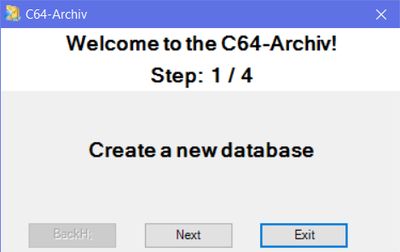
Configuration at 1st start: The C64-Archiv requires only a few settings. Either you configure the C64-Archive at the 1st start with the help of the configuration wizard (A) or you do all steps manually (B). (A) Configuration Wizard
(B) Manually configuration
|
|
|||||||||||||||||||